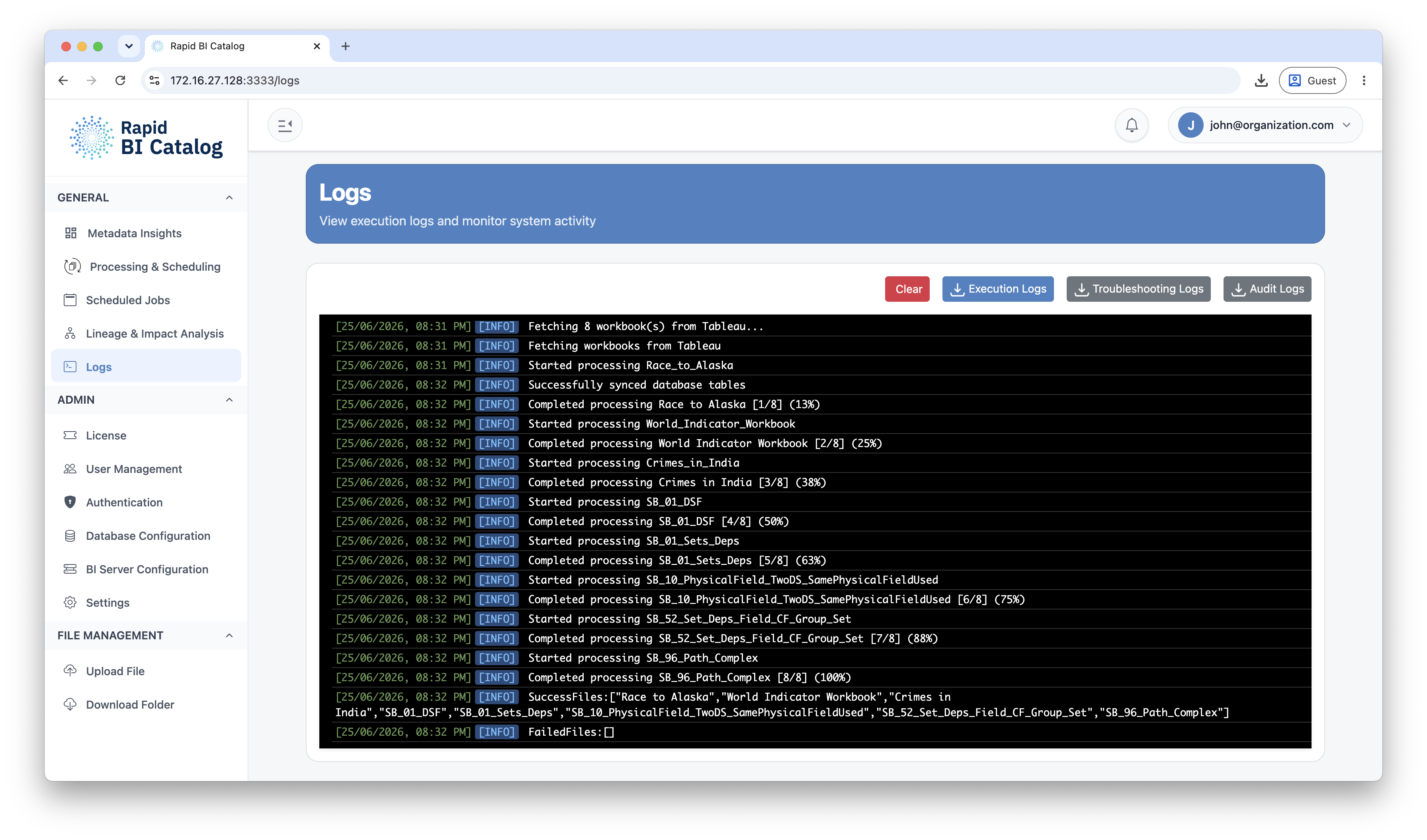
Log Types
| Log type | Access | Purpose |
|---|---|---|
| Execution Logs | Admin & Power User | Day-to-day visibility. Captures when a job ran (manual or scheduled), whether it succeeded or failed, and summary messages produced during execution. |
| Troubleshooting Logs | Admin only | Detailed diagnostic/system logs for deeper investigation — share with support when diagnosing failures. |
| Audit Logs | Admin only | Security and compliance events — sign-ins, access-denied, configuration changes, idle timeouts, insecure-TLS selection, and SSO provisioning. Integrity-protected by an HMAC hash-chain, so tampering is detectable. |
Who Can Access Each Log
| Action | Admin | Power User | Read-Only |
|---|---|---|---|
| Execution logs — view & download | ✅ | ✅ | — |
| Execution logs — clear | ✅ | — | — |
| Troubleshooting logs — download | ✅ | — | — |
| Audit logs — download | ✅ | — | — |
Retention & Rotation
Each log type rotates at 50 MB and keeps up to 60 rotated backups, so the local log footprint is bounded at roughly 9 GB total (3 log types × 50 MB × 60).
Clearing & Archiving Logs
Admins can clear logs at any time. Instead of permanently deleting them, Rapid BI Catalog automatically moves cleared logs to an archive directory:
Terminal
$HOME/.bicatalog/logs/archive/Downloading Logs
Logs can be downloaded directly from the Logs page. The available downloads depend on your user role:
- Execution Logs: Admin and Power User.
- Troubleshooting Logs: Admin only. Share this full log bundle with support when requested.
- Audit Logs: Admin only — the tamper-evident security and compliance trail.
Next Steps
- Session & security policies: Security & Sessions
- Admin configuration: Admin Overview
- Manage scheduled jobs: Scheduled Jobs