Overview
The Settings page is where an admin configures application-wide defaults — the two file directories, the application domain, email (SMTP), security/MFA, and formatting. Several of these are part of first-run configuration; see Post-installation Setup.
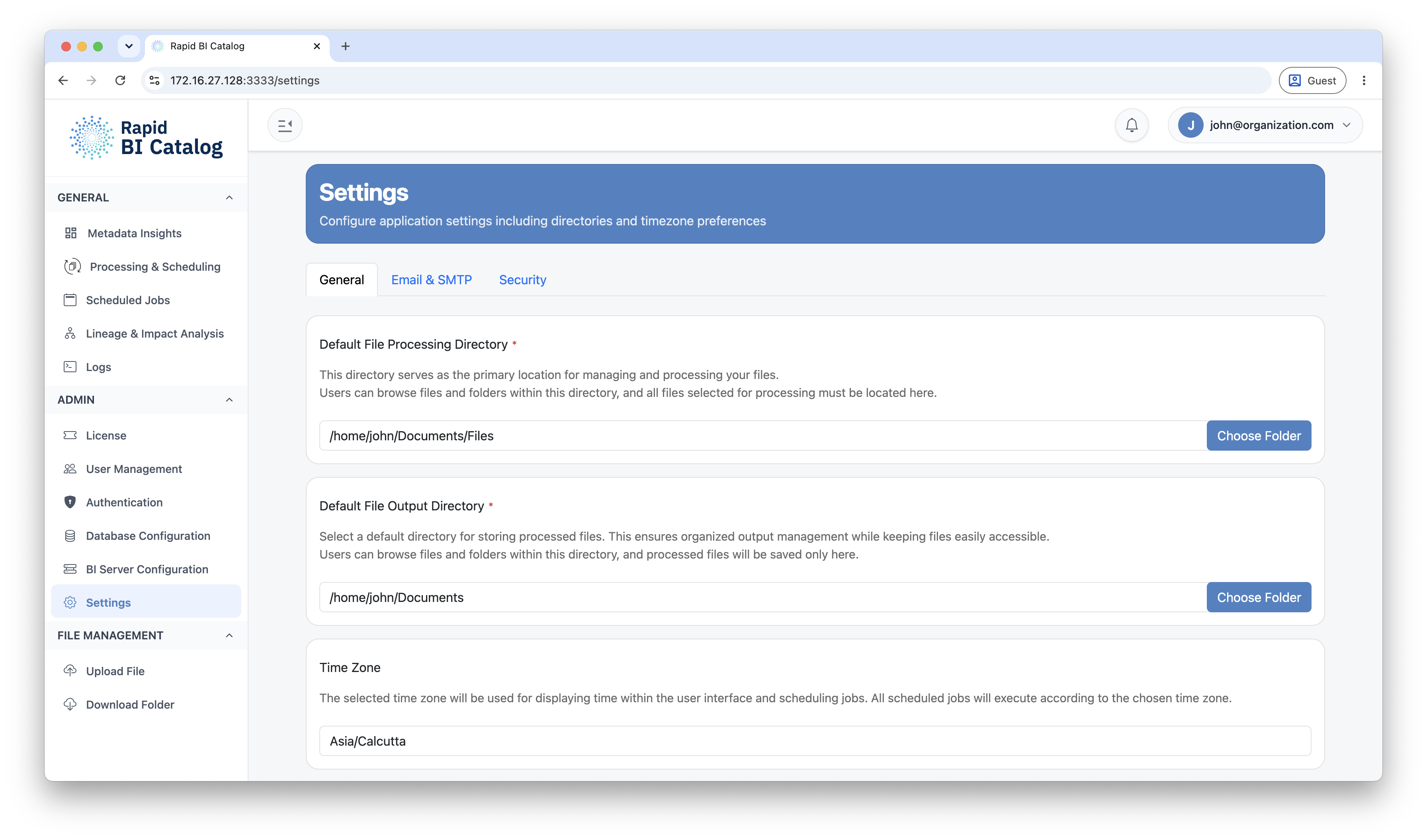
Default Directories
Rapid BI Catalog confines all file access to two configured roots — a default input directory and a default output directory. Every user-supplied path is resolved inside these roots, which prevents reading from or writing to anywhere else on the server. Paths can be overridden within the roots when processing individual tasks.
| Setting | Description | Example |
|---|---|---|
| Default File Processing Directory | The input root — the default location for selecting files to process. | /home/john/work/tableau |
| Default File Output Directory | The output root — where generated documentation and exports are written. | /home/john/work/tableau/documentation |
Application Domain
The base URL where users reach Rapid BI Catalog. It is used to build the links in invitation, registration, and password-reset emails, and for client-facing URL decisions. Set it to your real HTTPS domain so emailed links resolve correctly.
Email (SMTP)
SMTP powers invitations, onboarding, password resets, and notifications.
| Field | Description |
|---|---|
| Host | Your SMTP server hostname |
| Port | SMTP port (default 587) |
| Username | SMTP account username |
| Password | SMTP account password |
| From Address | The address outbound emails are sent from |
| Allow self-signed certificate | Accept a self-signed SMTP server certificate (for internal relays) |
465 uses implicit TLS; any other port (e.g. 587) uses STARTTLS.Security & MFA
Enable MFA required for all users to force TOTP enrollment for local accounts at next login. This control is disabled when SSO is the only login method — in that case multi-factor is owned by your Identity Provider. See Multi-Factor Authentication.
Time Zone & Date Format
| Setting | Description | Example |
|---|---|---|
| Job Scheduling Time Zone | The time zone used for all scheduled jobs. | America/New_York |
| Date Format | The standard date format applied across the application. | DDMM |
Next Steps
- Complete first-run setup: Post-installation Setup
- Configure metadata storage: Database Configuration
- Require a second factor: Multi-Factor Authentication