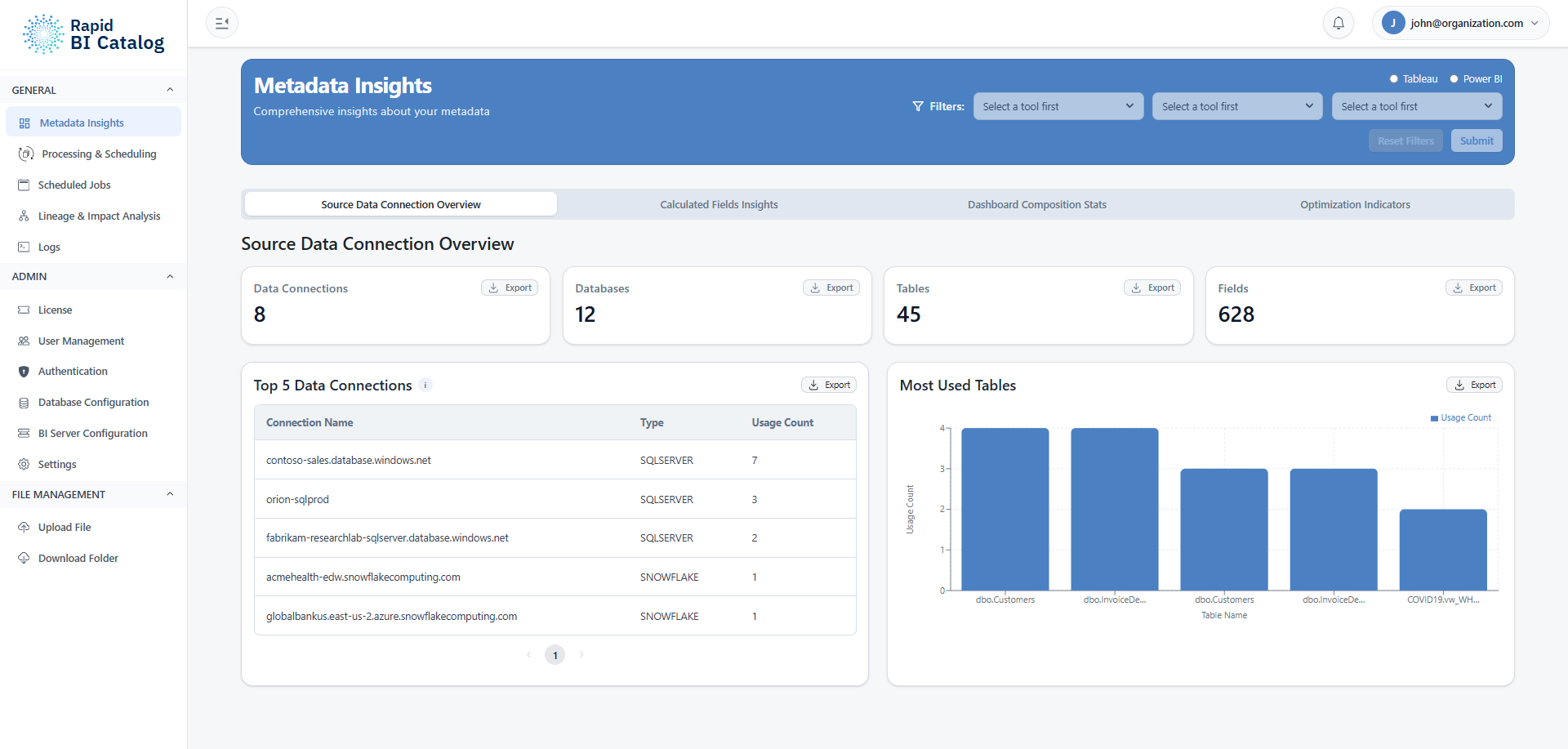
General Section
- Metadata Insights: Dashboards summarizing your Tableau and Power BI estates. See Metadata Insights.
- Processing & Scheduling: Run documentation jobs and configure recurring processing jobs. See Processing & Scheduling.
- Scheduled Jobs: Manage scheduled automation in one place. See Scheduled Jobs.
- Lineage: Impact analysis and interactive lineage diagram. See Lineage & Impact Analysis.
- Logs: Execution, troubleshooting, and audit logs for runs and scheduled jobs. See Logs.
Admin Section
Admin pages are typically configured once and revisited when something changes. See Admin Overview for the full list.
- License: View license status, file usage, and manage renewal or release. See License Management.
- User Management: Users, roles, job ownership, and multi-factor authentication enforcement. See User Management and Multi-Factor Authentication.
- SSO Configuration: Identity provider integration with role mapping. See SSO Configuration.
- Database Configuration: Where extracted metadata is stored (powers metadata insights/lineage/impact analysis). See Database Configuration.
- BI Server Configuration: Connection to Tableau Server or Tableau Cloud — including Tableau Connected Apps, Service Accounts, and User Discovery — and to Power BI Service. See BI Server Configuration, Tableau Setup and Power BI Service.
- Settings: Application-wide defaults (directories, time zone, formatting). See Settings.
File Management
- Upload File: Upload local workbooks for ad-hoc processing.
- Download Folder: Download generated documentation outputs without needing server CLI access.
See Download & Upload Files for full details.
Common workflows
If you're trying to…
- Assess change impact: Go to Lineage & impact analysis.
- Trace dependencies visually: Go to Lineage diagram.
- Generate documentation: Go to Processing & scheduling.
- Automate recurring runs: Schedule a job, then manage it in Scheduled Jobs.
- Troubleshoot failures: Review Logs.
- Manage users or SSO: Go to User management or SSO configuration.